

MBS Monitoring
Real-time server monitoring and incident alerts
web
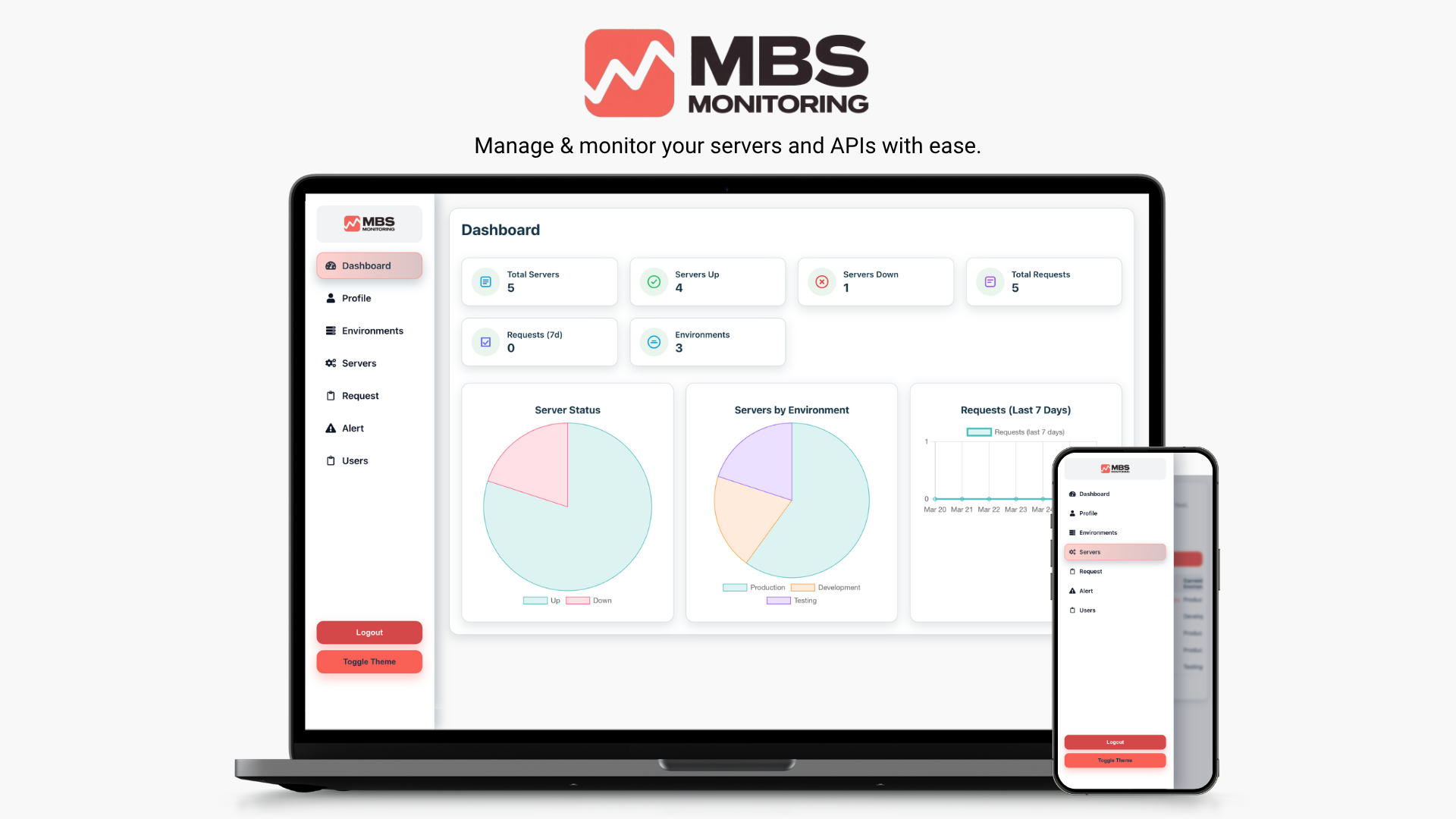
Real-Time Server TrackingInstant Alerts & NotificationsRole-Based Access
Actions
System Requirements
- Modern browser
- Internet connection
Mission Control
Know what is healthy, what is not, and why
MBS Monitoring is a powerful web-based platform for real-time server monitoring and incident management. It helps teams and administrators track performance, detect problems instantly, and ensure uninterrupted uptime — all from a clean, easy-to-use dashboard.
Designed for simplicity, it automatically checks your servers around the clock and alerts you immediately when something goes wrong, so your team can act fast and stay ahead of downtime.
Pulse
- Real-Time Server Tracking
- Instant Alerts & Notifications
- Role-Based Access
- Server Lifecycle Management
Signal Mesh
Always-on monitoring, without the noise
Real-Time Server Tracking
- Monitors all connected servers continuously and updates every minute
- Live status indicators (online/offline) on a visual dashboard
- Tracks uptime history and response performance at a glance
Instant Alerts & Notifications
- Automatic email alerts the moment a server goes down
- Reminder notifications if an issue remains unresolved
- Recovery notifications once the server is back online
- Keeps your team informed — even outside working hours
Role-Based Access
- Admin: manage servers, alerts, and settings
- Observer: read-only access to monitor server health and alerts
- Great for both technical admins and non-technical supervisors
Server Lifecycle Management
- Track Development, Staging, and Production servers
- Add, update, or archive servers as infrastructure evolves
- Organized, searchable server data that stays up to date
Smart Dashboard
- Centralized view for all monitored servers
- Color-coded status indicators for quick assessment
- Sort, filter, and search by name, environment, or status
- See which servers are active, under maintenance, or facing issues
Automated Checks
- Continuously verifies server availability — no manual testing needed
- Detects and logs downtime events in real time
- Keeps a full record of server activity for visibility and accountability
Scalable & Reliable
- Monitors multiple servers simultaneously — small to large orgs
- Works seamlessly across desktop, tablet, and mobile
- Always running so you can focus on your business
Operations Loop
From setup to alerts in a few calm steps
01
Log In
- Access via your organization portal or provided link
- Sign in securely with your account credentials
02
Add or View Servers
- Admins: Click “Add Server” and fill name, address, and environment
- Observers: View all existing servers and their status
03
Monitor Server Health
- Watch live updates on the dashboard
- 🟢 Online and responsive; 🔴 Offline or unresponsive
- Each server card shows last check time and uptime %
04
Get Alerts Instantly
- Receive email notifications when a server goes down
- Get reminders if issues persist; receive recovery confirmations
05
Manage & Organize
- Move servers between Development, Staging, Production
- Archive inactive or outdated servers
06
Collaborate Across Roles
- Admins configure and manage; Observers monitor and receive alerts
- Keeps technical and non-technical teams aligned
Knowledge Base
Quick access to critical guidance
01
Dashboard Overview
Provides a real-time summary of all monitored servers with totals, uptime statistics, and active alerts. Filter and search tools help you find what you need quickly.
02
Notifications & Alerts
- Instant email alerts for server issues
- Reminder notifications if downtime continues
- Recovery messages when servers are back online
03
Server Management
- Add or remove servers in seconds
- Assign names, environments, and alert preferences
- View history logs to track uptime trends and incidents
04
User Access
- Admins: full access to add, edit, and manage servers
- Observers: read-only dashboard view for tracking performance
- Relevant alerts are sent to both roles automatically